
Detaching widgets from viewport
-
How do I do this?
I'm such a Undertale nerd
I need to get Deltarune though and I'm in the process of learning Undertale's genocide route (haven't ran that playthrough because it ruins your next playthroughs) -
How do I do this?
-
Widgets (like buttons/lables) always stay at the same position on the stage, so they have no relations with the viewport. What are you trying to achieve?
@info-creaticode Well since the prints feature is acting weird atm, I’m using a progress bar for object hp
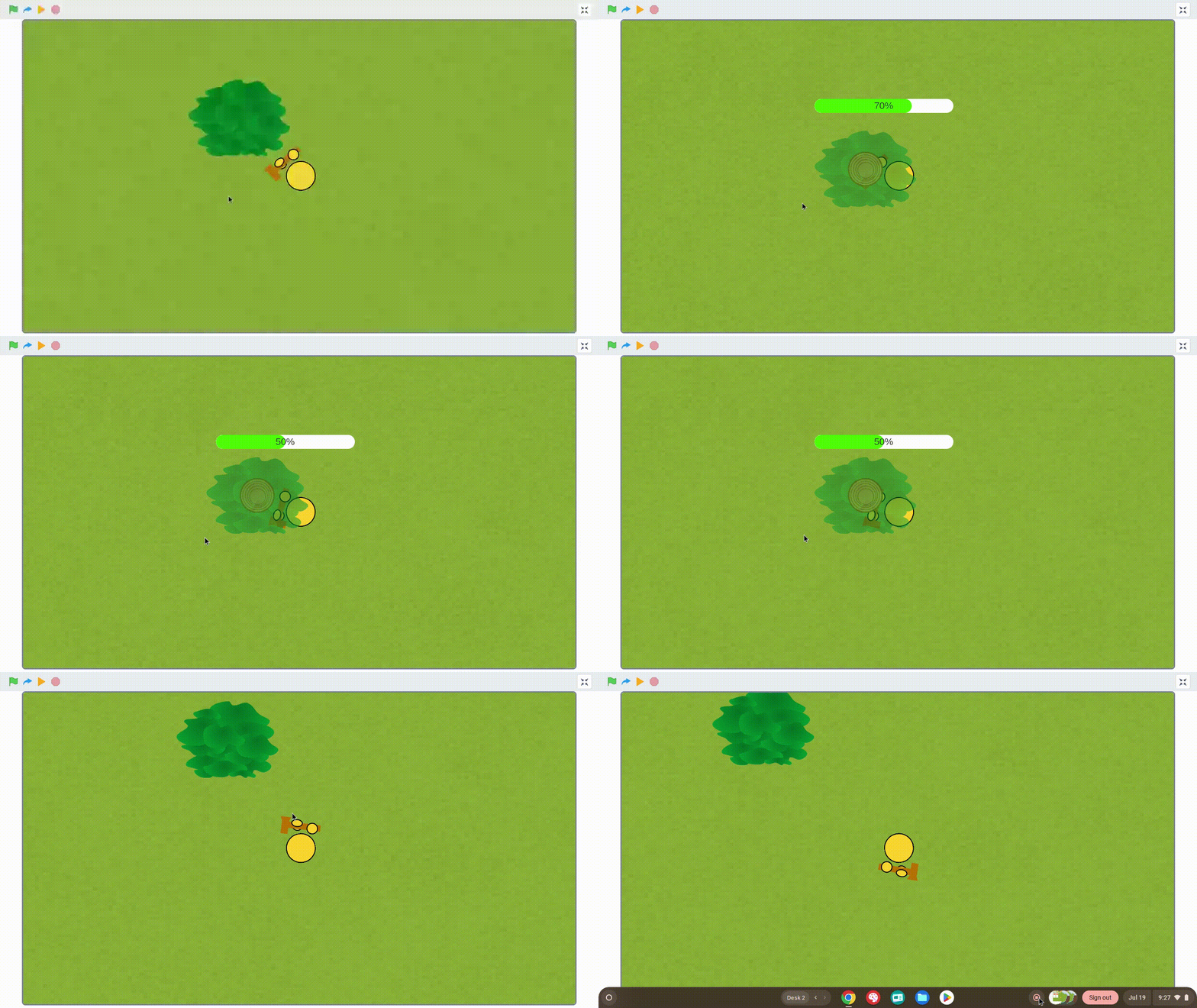
And they follow the viewport on my screen. I move a bit, and the widget follows.
I'm such a Undertale nerd
I need to get Deltarune though and I'm in the process of learning Undertale's genocide route (haven't ran that playthrough because it ruins your next playthroughs) -
@info-creaticode Well since the prints feature is acting weird atm, I’m using a progress bar for object hp
And they follow the viewport on my screen. I move a bit, and the widget follows.
The progress bar is not “following”. It is just staying at the same position in the stage, regardless of where your sprite is or where the viewport is.
If you want the progress bar to stay with the tree, there are some other options. For example, you can add additional costumes of the tree, all with the same tree, but with an additional progress bar on top of it at different percentages. So you can change the tree’s costume in your code.
Or you can create a new sprite that’s just the progress bar at different percentages, and then move that sprite above the tree. It will stay with the tree when you move the viewport.
And another option is still use the progress bar widget, but change its position when you move the main sprite. You will need to calculate the position of the tree relative to your sprite, and calculate the position of the progress bar using that relative position.


Hello! It looks like you're interested in this conversation, but you don't have an account yet.
Getting fed up of having to scroll through the same posts each visit? When you register for an account, you'll always come back to exactly where you were before, and choose to be notified of new replies (either via email, or push notification). You'll also be able to save bookmarks and upvote posts to show your appreciation to other community members.
With your input, this post could be even better 💗
Register Login