
Border pointing bug fix -- !SIMPLIFIED!
-
WARNING: This tutorial will not work on a canvas that expands bigger than a 16:9 (this includes both canvas and viewport)
If you want to know how to make it work on a bigger canvas/viewport than a 16:9, please view my previous tutorial:
https://forum.creaticode.com/topic/1994/i-fixed-the-border-pointing-bug-tutorial?_=1759362965262
–
_Difficulty: 2/5
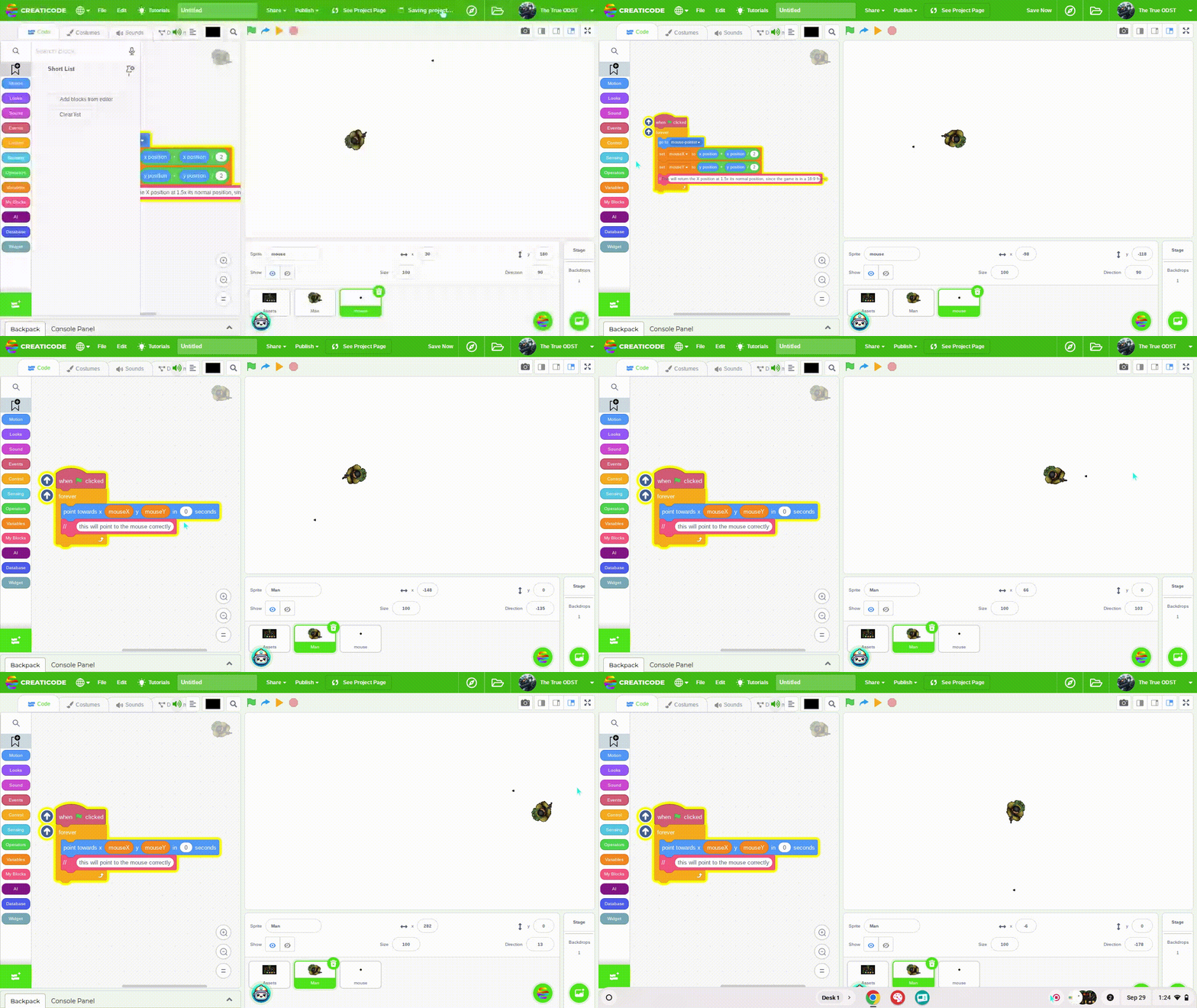
PART ONE:
Have a small position dot set in the center of the scratch sprite creation tab. Use a forever loop to send this dot to the mouse pointer.
Inside this same loop, add the positions of this dot by half of themselves and send it into two variables: MouѕeX and MouseY
This is because a 16:9 portrait is almost double the size of regular Scratch 4:3 ratio
This will make the mouse pointer have accurate proportions when aiming at it
–
PART TWO
Use the “point towards” block with the two positions. Use the variables MouѕeX and Mouse Y for Position X and Position Y
–
-
This post is deleted!

Hello! It looks like you're interested in this conversation, but you don't have an account yet.
Getting fed up of having to scroll through the same posts each visit? When you register for an account, you'll always come back to exactly where you were before, and choose to be notified of new replies (either via email, or push notification). You'll also be able to save bookmarks and upvote posts to show your appreciation to other community members.
With your input, this post could be even better 💗
Register Login